 Angela Stefani
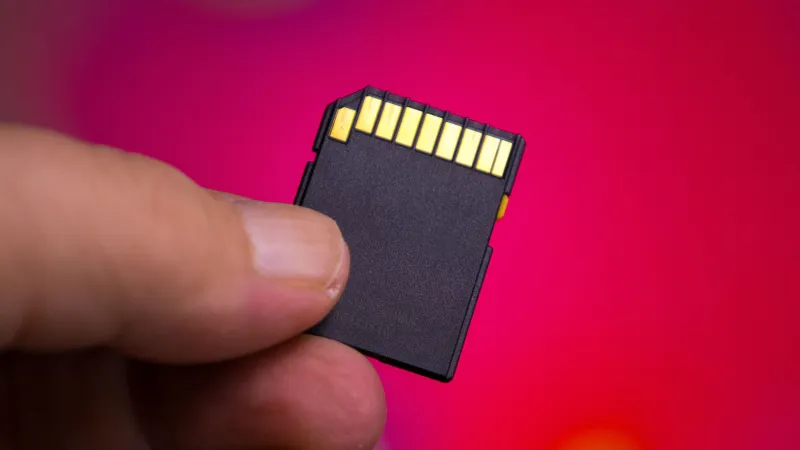
Digital users, content creators, and tech enthusiasts frequently encounter a perplexing issue: an SD card that refuses to transfer files exceeding 4GB, regardless of its total capacity or available free space. This widespread limitation stems primarily from an outdated file system, most commonly FAT32, which restricts the maximum size of individual files. Understanding and addressing this constraint is crucial for optimizing storage and avoiding frustrating bottlenecks.
This persistent hurdle affects a broad spectrum of devices that rely on SD cards, including high-resolution cameras, drones capturing 4K video, smartphones, and various computer systems. When attempting to move large media files, expansive game data, or comprehensive document archives, users often hit this invisible ceiling, leading to incomplete transfers and data management headaches.
The root of the problem lies with the FAT32 file system, an acronym for File Allocation Table 32. Developed in 1996 for Windows 95, FAT32 was designed for smaller storage devices prevalent at the time. Its design inherently limits individual files to a maximum size of 4GB and partitions to 2TB, irrespective of the physical memory card's advertised capacity.
While FAT32 offered excellent compatibility across diverse operating systems and devices for decades, its limitations have become increasingly apparent in an era dominated by large digital files. Modern cameras record cinematic 4K video at high bitrates, and smartphone apps frequently exceed the 4GB threshold, making FAT32 an impediment rather than an enabler for contemporary usage.
The solution to this widespread problem is straightforward: reformatting the SD card to a more advanced file system. Two primary alternatives offer superior capabilities: exFAT (Extended File Allocation Table) and NTFS (NT File System). Both overcome the 4GB individual file size limitation, providing ample room for today's massive data requirements.
exFAT, introduced by Microsoft in 2006, is specifically optimized for flash memory devices like SD cards and USB drives. It supports vastly larger file sizes and partitions than FAT32 and is compatible with Windows, macOS, and many Linux distributions, along with a wide array of consumer electronics. This makes exFAT an ideal choice for users needing cross-platform flexibility.
NTFS, on the other hand, is the default file system for Windows operating systems. While it also supports enormous file sizes and partition limits, along with features like file compression, encryption, and permissions, its compatibility with non-Windows devices can be more limited. macOS, for instance, typically offers read-only support for NTFS unless third-party software is installed, making it less universal for SD card use cases.
To resolve the 4GB file transfer issue on a Windows computer, users can typically reformat their SD card through Disk Management. After backing up all essential data from the card, one can right-click the SD card drive, select “Format,” and then choose exFAT or NTFS from the File system dropdown menu before proceeding. This process is irreversible and will erase all data.
Mac users can accomplish the same task using Disk Utility. By connecting the SD card, launching Disk Utility from Applications/Utilities, selecting the SD card, and then clicking the “Erase” button, they can choose exFAT as the preferred format. Again, a complete data backup before initiating this step is paramount to prevent any loss of valuable files.
It is imperative to understand that reformatting the SD card will erase all data stored on it. Therefore, before undertaking this process, users must ensure they have meticulously backed up any critical photos, videos, documents, or other files to another storage medium. Neglecting this step will result in permanent data loss.
Choosing between exFAT and NTFS depends largely on the primary usage. For devices like cameras, drones, or general portable storage that may be used with both Windows and macOS systems, exFAT is generally the recommended choice due to its broad compatibility. For an SD card intended exclusively for a Windows computer, NTFS offers robust features but might complicate use with other platforms.
This fundamental understanding of file systems and their limitations empowers users to unlock the full potential of their storage devices. The perceived complexity of the 4GB barrier often masks a simple, software-based solution, allowing for seamless storage of high-definition content and extensive data archives. As modern media demands grow, so does the need for optimized storage solutions.
The continuous evolution of digital content, particularly in areas like 4K video capture and advanced gaming, places increasing pressure on storage infrastructure. For instance, the escalating requirements for gaming storage, as highlighted in discussions like Modern Gaming Demands: Is 1TB Xbox Series X Storage Sufficient?, underscore why limitations such as the 4GB file size cap are no longer viable for contemporary applications.
By taking a few minutes to correctly reformat an SD card, individuals can transform a restrictive accessory into a powerful, high-capacity storage tool, capable of handling the largest files with ease. This simple technical adjustment ensures that valuable data can be stored and transferred without arbitrary constraints, enhancing overall productivity and creative output.