 Stefani Rindus
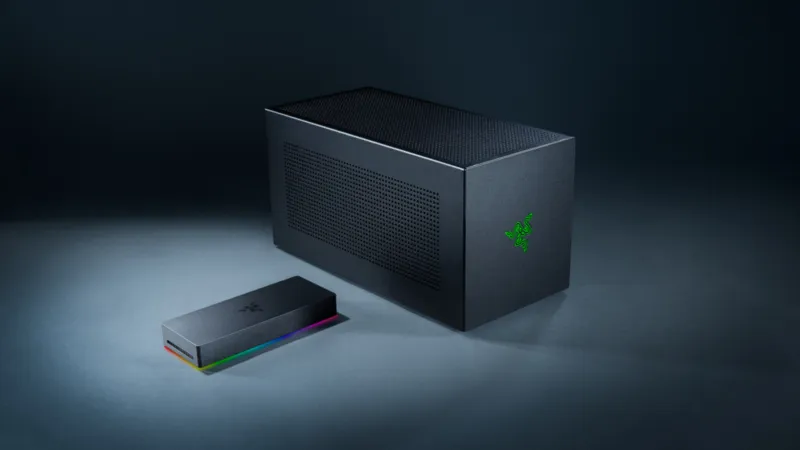
A compelling option for enhancing laptop graphical capabilities, external Graphics Processing Units, or eGPUs, present a double-edged sword for enthusiasts seeking desktop-tier gaming performance on their portable devices. While offering a significant upgrade over integrated or even some discrete onboard graphics, these peripherals are frequently constrained by bandwidth limitations and compatibility issues, prompting users to weigh their benefits against their inherent drawbacks.
The core promise of an eGPU lies in its ability to offload intense graphical computations from a laptops internal components to a more powerful, dedicated desktop-grade GPU housed within an external enclosure. This setup typically connects to a laptop via a high-bandwidth interface like Thunderbolt, aiming to transform a sleek, portable machine into a formidable gaming rig or a powerful workstation.
However, the perceived plug-and-play simplicity often belies a nuanced reality. The primary bottleneck encountered by eGPU users stems from the data transfer rates available through interfaces such as Thunderbolt 3 or Thunderbolt 4. While impressive, these bandwidths are still considerably less than the PCIe lanes directly connecting a GPU to a motherboard in a traditional desktop system.
This bandwidth disparity can lead to a performance penalty, meaning an external GPU will generally not perform at 100% of its potential compared to the exact same card installed internally within a desktop. Depending on the game, resolution, and graphical settings, this deficit can range from negligible to a substantial 10-30 percent or more, impacting frame rates and overall gaming fluidity.
Another critical consideration involves the CPU. Even with a powerful external GPU, an underpowered laptop processor can still bottleneck performance. The CPU is responsible for feeding instructions to the GPU, and if it cannot keep up, the eGPU’s power goes underutilized. This emphasizes the need for a balanced system, not just a strong graphics card.
Compatibility also poses a hurdle. Not all laptops are equally suited for eGPU integration. A device must possess a compatible Thunderbolt port, and specific drivers and software configurations are often required. Furthermore, different eGPU enclosures have varying power delivery capabilities and form factors, necessitating careful research to ensure compatibility with both the chosen GPU and the laptop model.
The cost-effectiveness of an eGPU setup warrants scrutiny. Beyond the price of the high-end graphics card itself, users must invest in the eGPU enclosure, which can add several hundred dollars to the total expenditure. This combined cost can quickly approach or even exceed the price of a dedicated gaming laptop or a custom-built desktop PC offering superior, uncompromised performance.
For users contemplating whether to invest in an eGPU or a dedicated gaming laptop, the decision often hinges on specific use cases. A professional who travels frequently but desires powerful computing at a fixed location might find an eGPU beneficial. Conversely, someone prioritizing maximum portability and uncompromised gaming on the go might find a high-end gaming laptop a more direct and often more performant solution.
Comparing an eGPU to a powerful onboard discrete graphics card, such as those found in gaming-focused laptops like an NVIDIA GPU mirroring PS5 performance, often reveals the internal solution to be more efficient. Dedicated laptop GPUs are optimized for their specific thermal and power envelopes, and crucially, they do not suffer from the external interface bottlenecks that plague eGPUs. This often results in better raw performance for a given GPU tier, alongside superior energy efficiency.
The thermal management within eGPU enclosures is another factor. While often designed with ample cooling, the enclosed environment can still present challenges for high-power GPUs, potentially leading to thermal throttling under prolonged heavy loads. This contrasts with the integrated cooling solutions of dedicated gaming laptops, which are engineered to manage heat from both the CPU and GPU simultaneously.
Ultimately, the utility of an eGPU is highly situational. While it can breathe new life into an older laptop or provide a modular upgrade path for non-gaming focused machines, it seldom matches the raw performance and seamless integration of a dedicated gaming system. Consumers must carefully assess their budget, performance expectations, and specific portable computing needs before committing to this advanced, yet limited, solution.