Gabriella
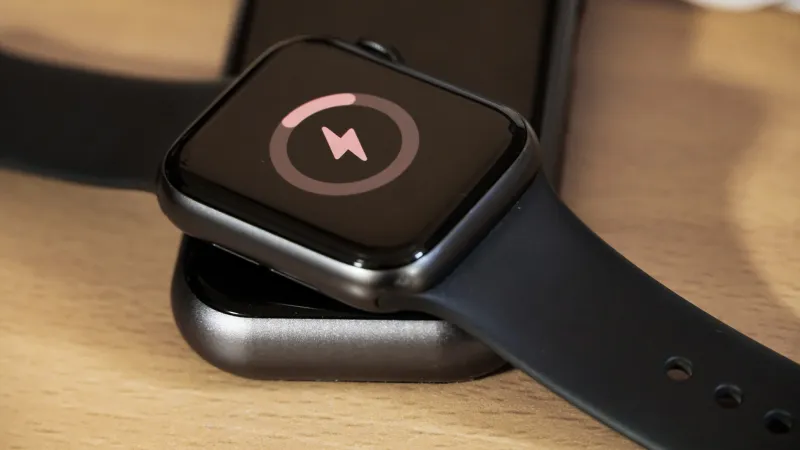
Every Apple Watch owner seeking to sustain peak device performance and prolong its lifespan should regularly monitor battery health, a straightforward process accessible directly through the watch settings. This essential maintenance step ensures the wearable operates efficiently, providing consistent performance for fitness tracking, communication, and daily notifications.
Understanding the condition of your Apple Watch battery is more than just about battery life; it reflects the overall efficiency and responsiveness of the device. As batteries age, their ability to hold a charge diminishes, impacting everything from app loading times to processing power, making routine checks indispensable for users.
To access this vital information, users simply navigate to the Settings application on their Apple Watch. Within Settings, locate and tap on the Battery option. This section provides an overview of recent battery usage and critical insights into its current state.
Selecting Battery Health within the Battery menu reveals the Maximum Capacity metric. This percentage indicates the current battery capacity relative to when it was new. A lower percentage signifies a battery that has degraded over time and can hold less charge, directly affecting daily usage.
Apple considers an Apple Watch battery to be performing at its optimal level when its maximum capacity remains above 80 percent. Once the capacity drops significantly below this threshold, users might experience reduced battery life and a noticeable decrease in device performance, prompting consideration for service.
Several factors contribute to battery degradation, including the total number of charge cycles, exposure to extreme temperatures, and general device age. Consistent deep discharges and recharges can accelerate this process, making informed charging habits critical for longevity.
Apple Watch includes features designed to mitigate battery aging. Optimized Battery Charging, for instance, learns a user's daily charging routine and delays charging past 80 percent until closer to the time the device will be used, thereby reducing the time the battery spends at full charge.
Beyond this, users can actively preserve battery life and health by managing settings. Reducing notifications, disabling the always-on display for older models, and limiting background app refresh for non-essential applications can significantly extend the time between charges and reduce overall battery strain.
Software updates also play a role in battery management. Each watchOS update often includes optimizations to how the device consumes power, which can sometimes improve or maintain battery performance. Ensuring the Apple Watch runs the latest software is a simple yet effective maintenance practice.
Third-party applications and complex watch faces with numerous complications can exert additional drain on the battery. Users should periodically review their installed apps and complications, removing or minimizing those not frequently utilized, to alleviate unnecessary power consumption.
Proactively monitoring Apple Watch battery health not only enhances the immediate user experience but also aligns with principles of device longevity and sustainability. Extending the functional life of personal electronics reduces electronic waste and promotes responsible consumption.
The philosophy of monitoring and managing internal metrics extends across the Apple ecosystem. Just as homeowners track energy consumption, users increasingly scrutinize the internal diagnostics of their devices. For example, the hidden barometer in iPhones quietly gathers environmental data, offering another layer of subtle device interaction that many users may not realize, much like battery health. For more on such internal device functionalities, one might explore resources like Your IPhone's Hidden Barometer Silently Tracks Vital Environmental Data.
Maintaining strong battery health also holds financial implications, particularly for those considering future resale. Devices with robust battery capacity command higher prices in the secondary market, underscoring the long-term value of diligent maintenance.
In essence, checking and understanding your Apple Watch battery health is a quick, user-friendly process that empowers owners to maximize their device's potential. Regular vigilance ensures uninterrupted functionality and extends the utility of this essential wearable for years to come.